On January 27th, an update was made with something new, some changes and a number of bug fixes.
What is new is:
- Functionality to make your own video recordings.
In the templates that have video, it is now possible to record your own video instead of doing it in another tool and upload the file.
In the Video template, for example, there are now the options Webcam (to record via that) and Screen Capture (here you can choose to record what happens in a specific window, a tab in the browser or the entire screen).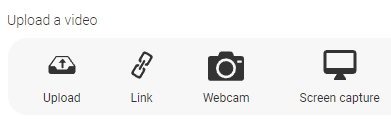
The handling is quite simple. It starts recording immediately when the selections are made. To stop the recording, switch to the Author window/tab and click stop recording. There are currently no editing features implemented. It may come at a later time.
What has been changed/corrected is:
- A minor adjustment of the position for feedback when Display mode is set the following way.
Show image is As background, Show content is To the right, Size of content is Wide and Show feedback is Next to content. Previously, feedback and content could overlap. - Change of default text when the correct answer is displayed in exercise templates. The text is now Correct answer is marked. The old text could be confusing in some display modes.
- Multilanguage, switch language in Author. When you switch to another language, you now stay on the same page. Previously, the first page of the module was shown.
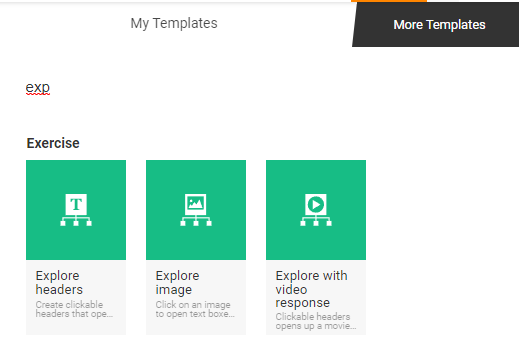
- It is now possible to search for a template in Author. To be able to quickly find the template you want to use on a page in Author, you can now search by title. The intention is to streamline so you do not have to look in the rather long list of templates. If you want to use an Explore template simply type exp and the results are shown.
- The Overview image template has been updated so that it can now also navigate to pages. This has been possible in the Overview template for a long time, but now that possibility also exists in this template.
- The templates Explore image, Question on image and Drag and drop have been updated with support for setting display mode and where feedback should be displayed. Previously, you could only choose between normal or full width of the image.
- The jquery software module has been updated to a newer version for better compatibility with other software modules.
0 Kommentarer