Allow the participant to indicate their own assessment or a valuation on a scale. It is possible to repeat the exercise, at the end of a module and see if the assessment has changed.
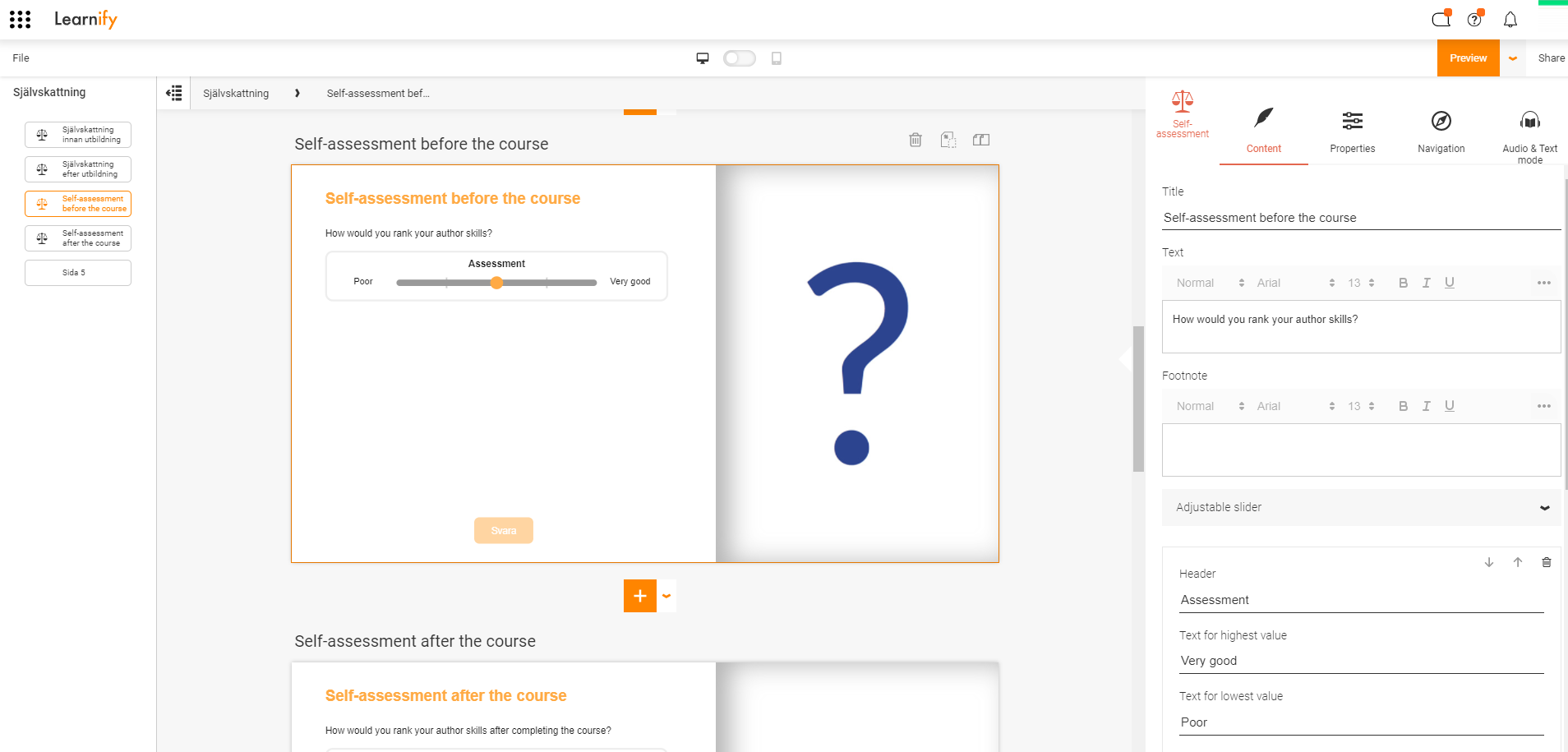
This is how a finished example can look.
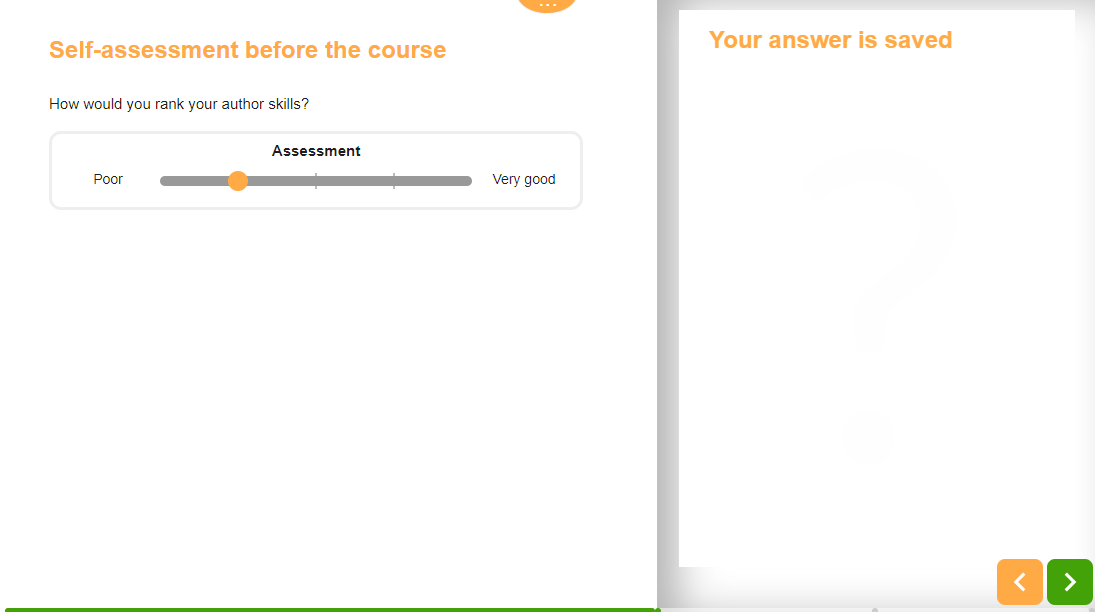
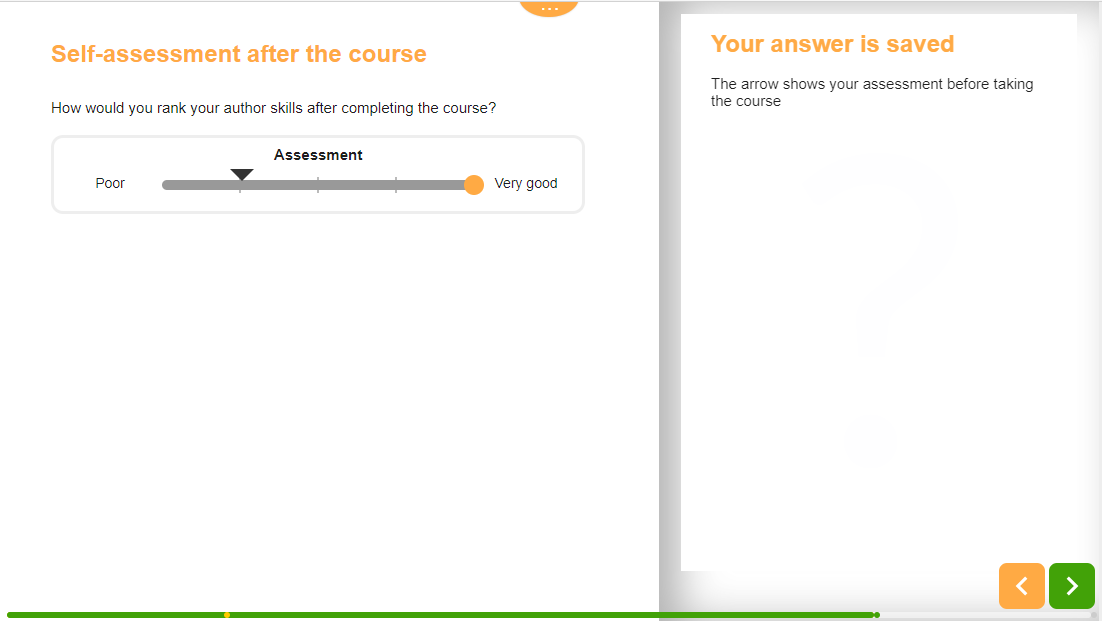
It is a good idea to copy the page and put it at the end of the training. Then it is possible to make a connection so the participants can see how they answered the first time. An arrow in the slider shows the participant's previous assessment.
Click here to view this example in the Player (Opens in a new tab)
In the template, one or more sliders are added where the participants can make an assessment on a scale. The scale can be numbers or descriptive text. It is also possible to define number of steps in the scale.
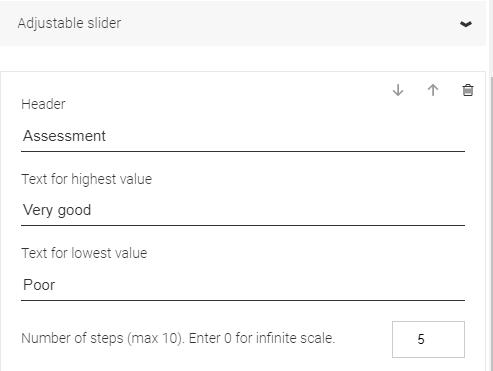
In order to be able to compare assessment before and after, the same template needs to be used twice in the material. The second time the template is used, you need to make a connection to which pull control the comparison should be made against.
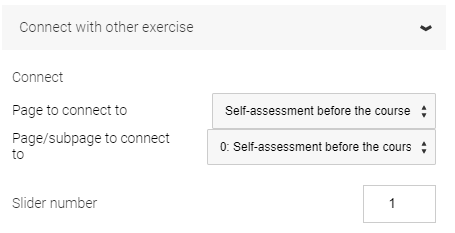
This is done in Connect with other exercise.
In Page to connect to, select which page the template was used on for the first time.
In Page/subpage to connect to, select which subpage is to be used. If there is no subpage, the same page is selected as in the previous selection.
Slider number refers to which slider on the page the coupling is to be made against. If, for example, there are four sliders and the fourth is to be used, enter the number 4. If there is only one slider, enter the number 1.
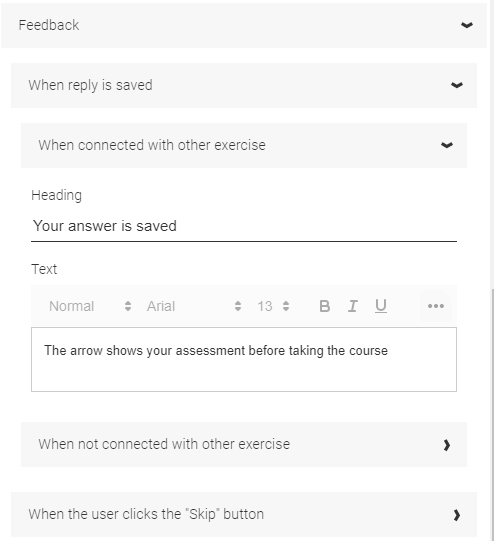
It is recommended to enter a text in Feedback / When a reply is saved / When connected to other exercise which explains that an arrow shows the previous assessment.
0 Kommentarer