If you are using Learning Zones, you can share your material directly to one or several of your Learning Zones from Presenters edit mode.
Locate and click the button Share to open up all the options available to you. 
Choose the option Share to Learning Zone.
A dialogue window that lists all the Learnings Zones you have access to as a tutor (owner) opens up.
To post your material to a specific Learning Zone, locate and click the button Add page. When you click that button, your material is added to the specific Learning Zone. Once you are done, close the dialogue window to go back til edit mode.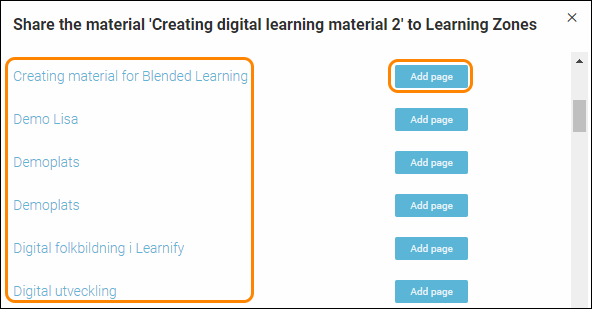
TIP! If you want to go to your Learning Zone to check how the material looks there, just click on the name of the Learning Zone after clicking Add page. That will take you straight to the Learning Zone in question and you’ll find your material added under the section “Content”.
0 Kommentarer