In the left-hand structure menu, you can build a structure of multiple levels that suits your needs.
When you create a new page (see the guide “Add a page”) the new page will automatically be placed as a sub-page to the page you had as active when you created the new page.
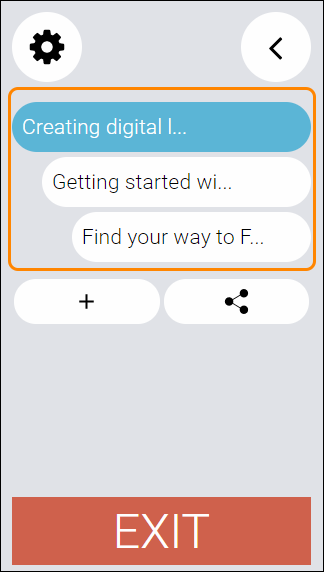
To change the order of the pages in the structure, locate and click the button with the icon of a cogwheel.
This opens up the editing mode of the structure. You can now move your pages by drag-and-drop.
Once you grab hold of a page and start dragging it to another place within the structure, placeholders will appear.
TIP! You have to take your time performing the drag-and-drop, or the placeholders will not appear.
Drop the page in the place of the structure you want it to be placed.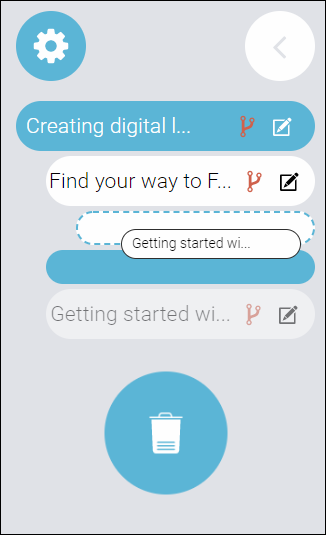
Once you are done with the rearranging of your structure, click the button with the cogwheel to save and exit the edit mode of the structure menu.
TIP! You can also:
- rename your pages by clicking the button with a pencil icon.
- create a scenario - but since this is an advanced function, it will have to be explained in its own guide.
- delete a page by dragging and dropping it into the trash can.
0 Kommentarer