You can co-author any material you create with one or several other people. The only rule is that they have to have a Learnify account and belong to the same organisation as you.
When you add one or several co-author to your material, it is not longer only you who are the owner of the material. All co-authors own and can edit the material from now on.
To add one or more co-authors, locate and click the button Share to open up all the options available to you. 
Choose the option Share with co-authors.
This opens up a new dialogue window. Here you can search the name of the co-author you want to add to your material. Just click on the line Search and start typing. When you see the person you want to add as a co-author, click on the button Add to the right of their name.
Once you are done click the button Save to save all changes and close the dialogue window.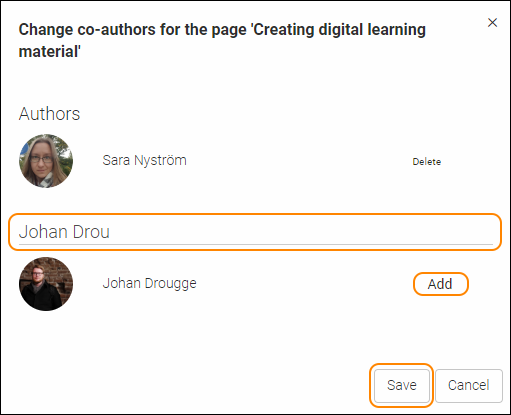
TIP! Your new co-authors can find the material added to their respective accounts under My pages.
0 Kommentarer