Want others to write posts for your blog? Invite other users as co-authors.
Remember that they if they have a teacher/leader account, they will get the exact same rights to manage the blog as you have.
Tip: If you invite students as co-authors, they can only write posts and publish them. They can’t make any changes in the blog settings.
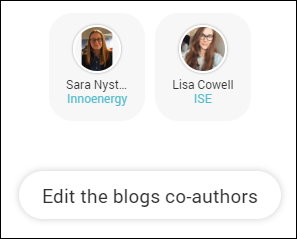
Locate and click on the button Edit the blogs co-authors (below the blog description) to open the window for adding and removing co-authors.

Search for the co-author you want to add by name and click the button with the plus sign next to their name to add them.
Click the button with the minus sign to remove them.
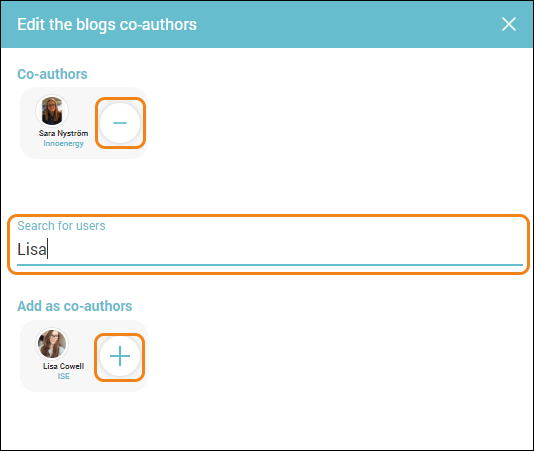
Close the dialogue window by clicking the “x”.
Here's how it looks once you have added one other co-author:
0 Kommentarer