From the release 2021-06-03, it is possible to administer social data that is linked to a module. From the Library, a co-author can do this and a tutor of a Learning Zone can also do this from the Learning Zone.
From the Library
Select the material for which you want to administer social data. The right column then displays the Manage Social Data button.
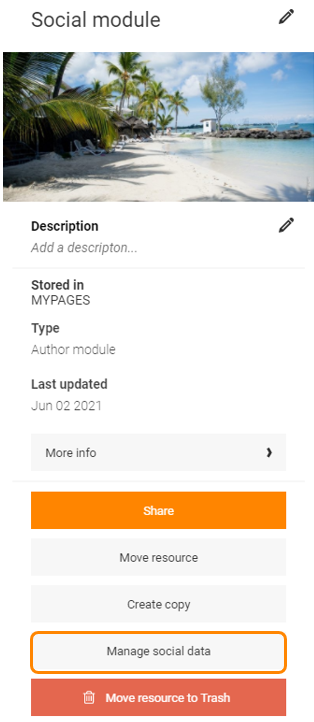
A new tab is opened and the social data is listed. If there is a lot of social data it is possible to filter on dates or by searching on specifik words.
It is possible to delete comments is someone has written an unfitting comment. It is also possible to export the comments to a file.
From a Learning Zone
If a module has the setting Only share social exercise data with users within the same learning context activated, a tutor in a Learning Zone can manage the social data that applies to that particular Learning Zone.
In the Content column there is a button named Activity. When clicked on, social data can be managed the same way as if it was opened from the library.
0 Kommentarer