Search for the module to view/change properties for and click on it. Information and properties are then shown on the right hand side.
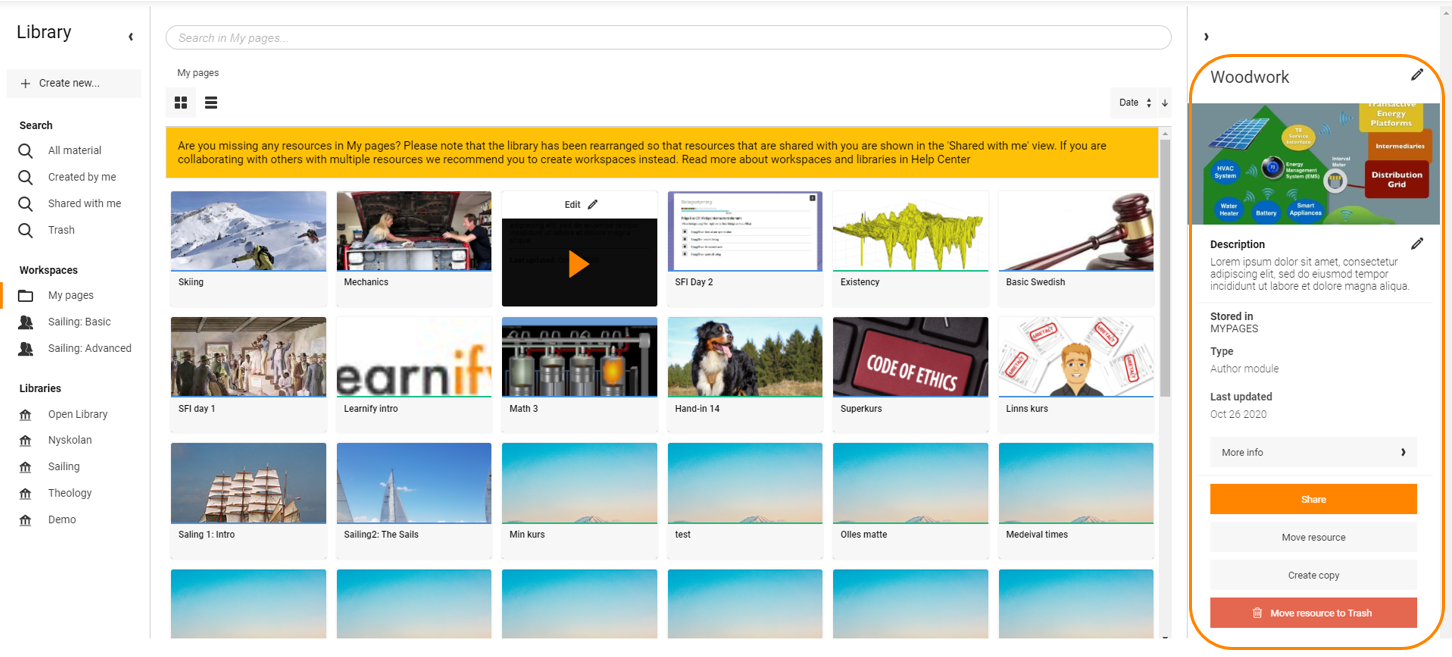
What is shown and in many cases possible to change is this.
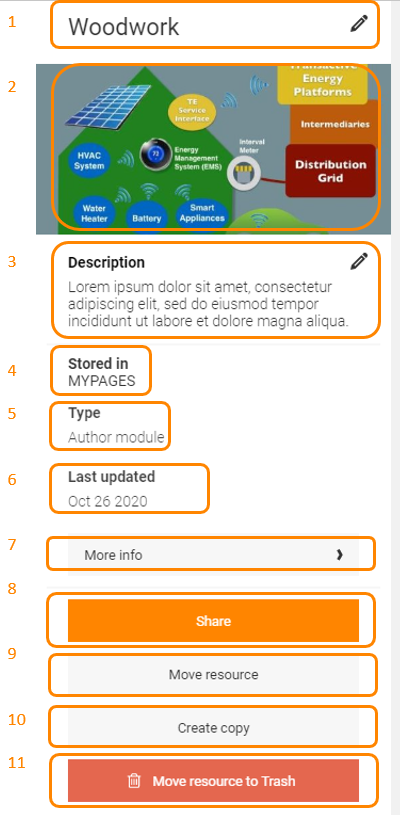
- Module title. Can be changed by clicking on the "Pen".
- Module cover image. Can be changed by clicking on the image.
- Module description. Can be changed by clicking on the "Pen".
- Shows in which workspace the module is stored.
- Shows if the module is a Presenter- or Authormodule.
- Shows the latest date the module was updated.
- More info. Shows information about publishing, publisher, viewing rights, license etc. There is also a link saying Edit information which will open the module in respective editor where the information can be edited.
- Share. This is the same dialogue as Share in Author. Please read the articles under Author for more information.
- Move resource. Used to move a module to another workspace or folder.
- Create copy. Used to create a copy of the module. The dialogue will ask where the copy should be stored.
- Move resource to Trash. Used to delete a module. The module can be restored from the Trash if a mistake was made.
0 Kommentarer