"This article is intended primarily for you who have a teacher/leader account or are designated as a tutor on a Learning Zone."
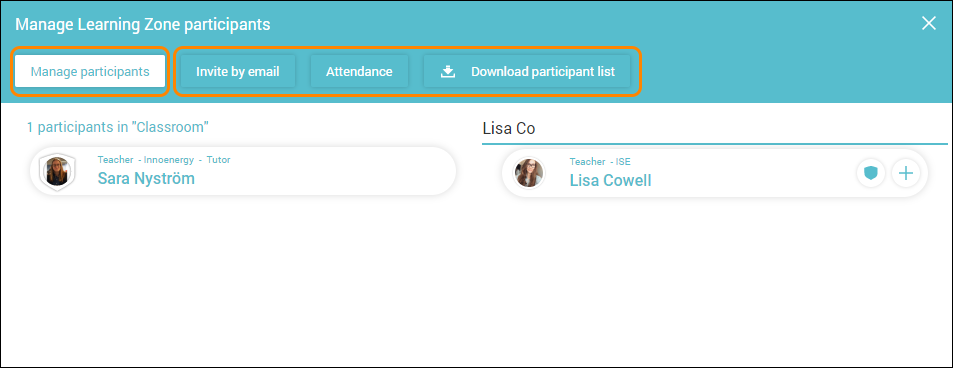
By clicking Manage Learning Zone participants you can:
- add and/or remove participants (Search by name and add by clicking the plus button).
- invite users that don’t already have a Learnify account via email.
- see attendance.
- download a participant list.
If there are users who do not have Learnify accounts that you want to invite, you can do so via email.
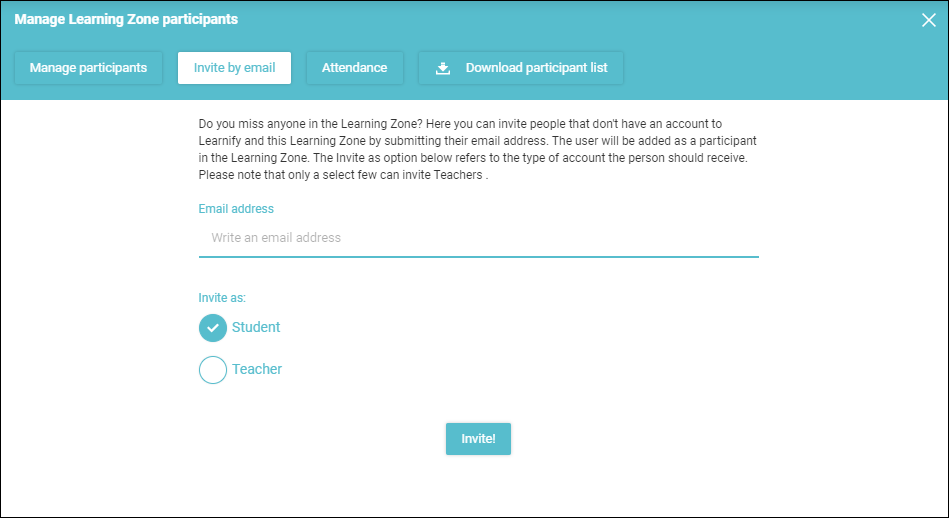
Note: After inviting a new user to Learnify they will not be visible in the list of Learning Zone Participants until the user has confirmed their invitation and logged in for the first time.
All users invited via email will be added as Participants. Currently, if you want to add these users as Tutors, you will need to invite them via email, remove them from the Learning Zone and them re-add them by searching for them by name.
Note: When you search for users, only users within your own organization will show up. If a user already have a Learnify account, but for a different organization, they will not show up in searches and inviting them via email will not work. You will either need to ask the user for a different email to send the invite to, or contact an administrator or support to add or move them to your organization.
Note: You can only invite users as teachers if your account has the permission to invite teachers, otherwise your will recieve an error. Either invite them as students or, if necessary, contact an administrator and have them invite the user as a teacher.
If you want or need to view the attendance on a Learning Zone or for a specific participant, open the "Attendance" tab.
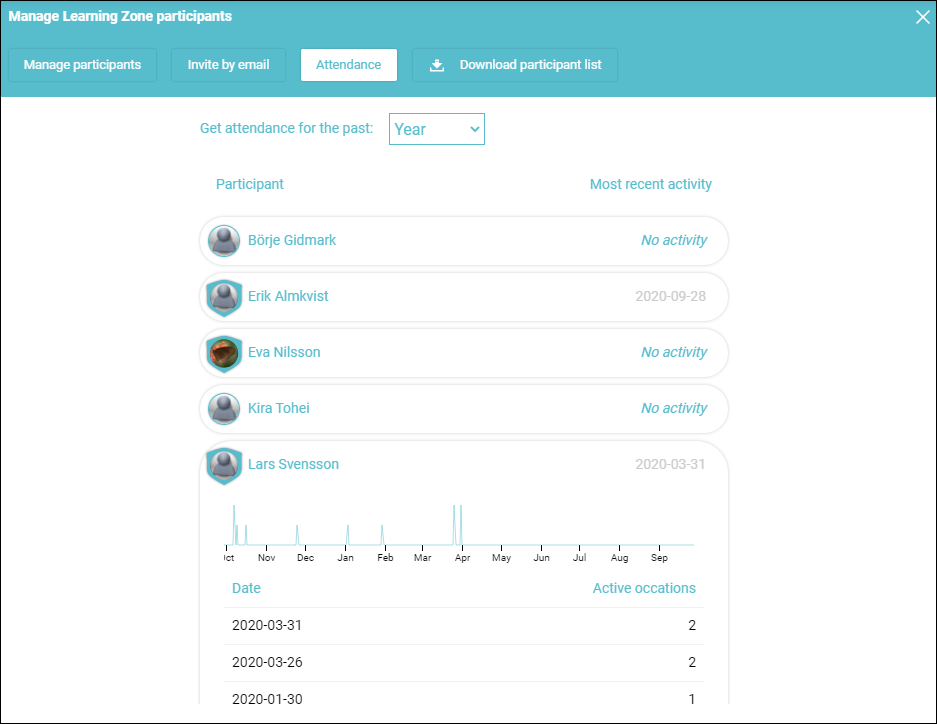
Here you can see a summary of how many participants have visited the Learning Zone. By clicking on a specific participant you will be shown a timeline of when, and how often, the participant has visited the Learning Zone.
Once you are done with managing participants, close the dialogue window and your Learning Zone will update.

Note: Downloading a list of participants gives you a PDF containing the names and email addresses of all members of the Learning Zone, separated into tutors and participants.
0 Kommentarer