If you are looking for feedback on your module you can use the review mode to allow users access to view your module and provide feedback via comments.
For a user to access the review mode you need to send them a review link.
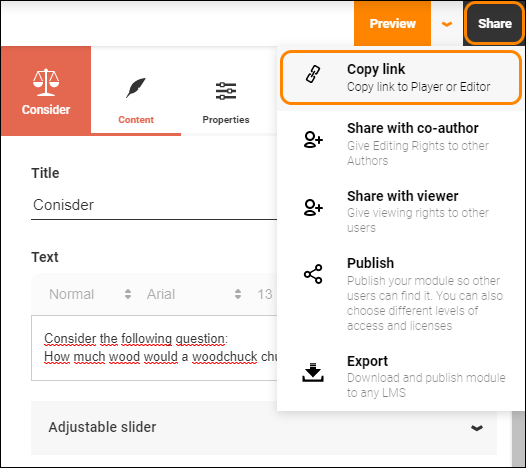
Copy a review link and send it via the medium of your choice.
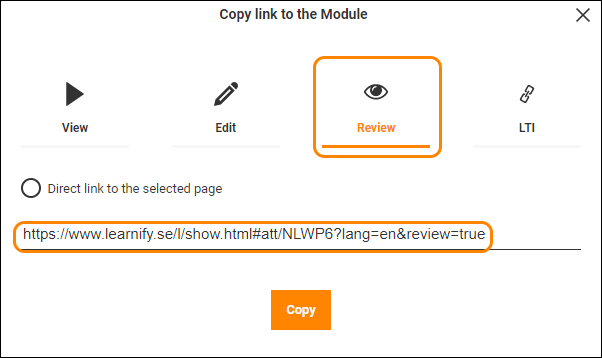
Note: To be able to leave a comment in review mode you must have a Learnify account. Only send the link to users with a Learnify account, or have an administrator prepare accounts for new users in advance.
The review mode is very similar to the normal player, with the exception of the review area.
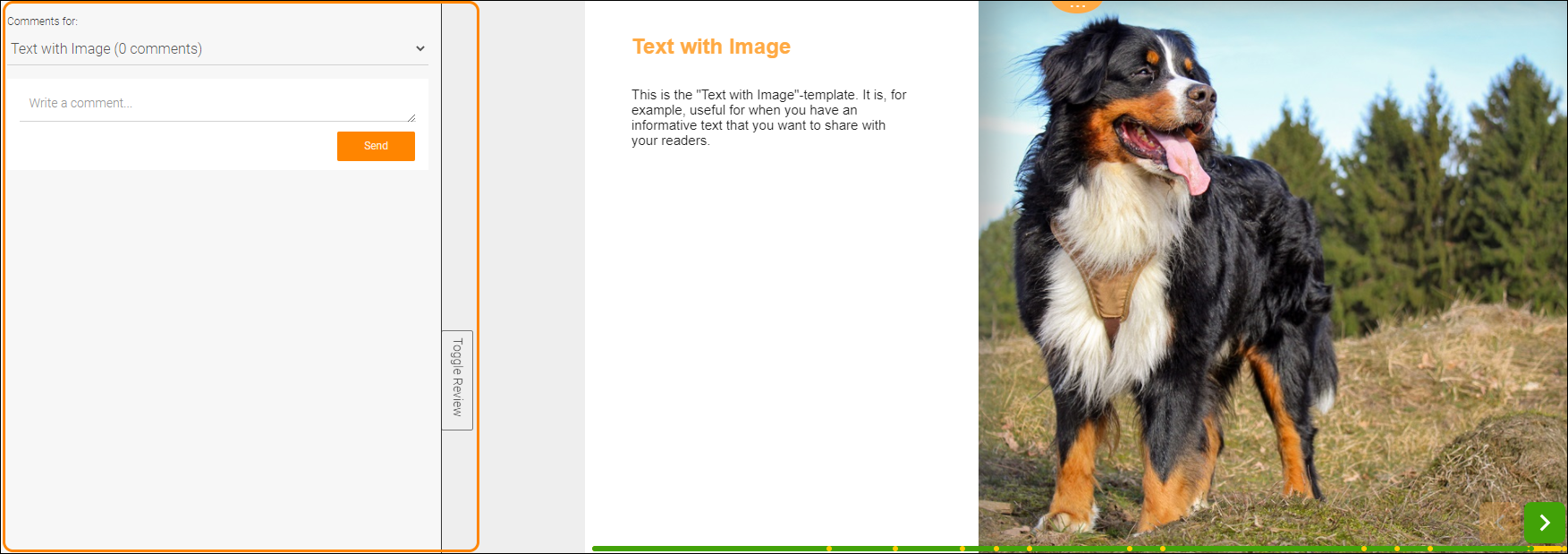
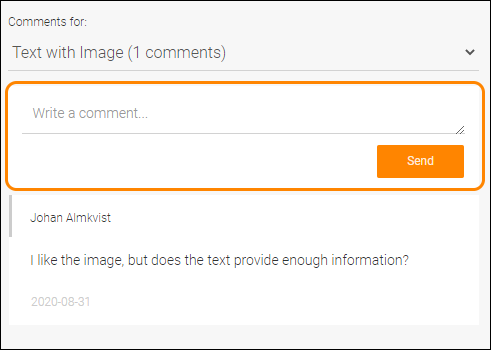
To post a comment simply write your text and click the Send button. When a user posts a comment on any of your modules you will recieve a notification within Learnify.
The review area contains a dropdown menu which shows a list of all pages that have comments posted on them as well as the currently active page. At the top, "All pages", there is also a summary where you can see all posted comments for the module and manage them.
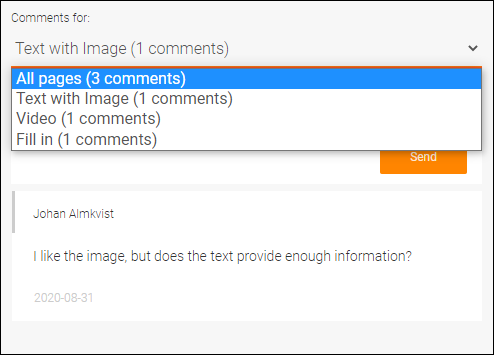
There are a few options regarding managing the comments.
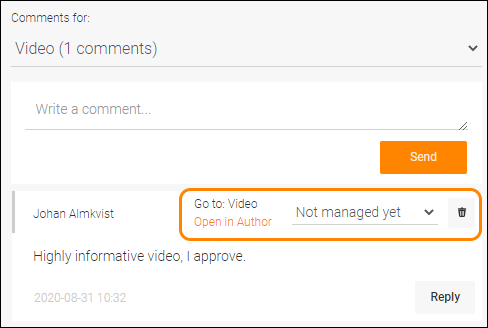
If you are on the summary page you can press "Go to: [page name]" to navigate to that page in the player. If you need to make adjustments, and you have editing rights for the module, you can open it in Author directly. Each comment has four different statuses:
- Not managed yet. The default status for any comment not yet reviewed.
- Under consideration. For when the comment suggests a change that needs to be discussed or adjustments made.
- Taken care of. When the comment has served its purpose.
- Discarded. When the suggested changes are not appropriate.
It is possible to respond to another reviewers comment by clicking "Reply" if, for example, more information is required or to have a conversation with the user that posted the comment.
Note: By hovering over a specific comment, you not only see the date it was posted but also the time.
0 Kommentarer