If you want others to be able to use your work, whether it be as a "read-only import as is" version or allow them to change and/or add to your material, you will need to publish it. Reaching the publishing interface can be done in two ways.
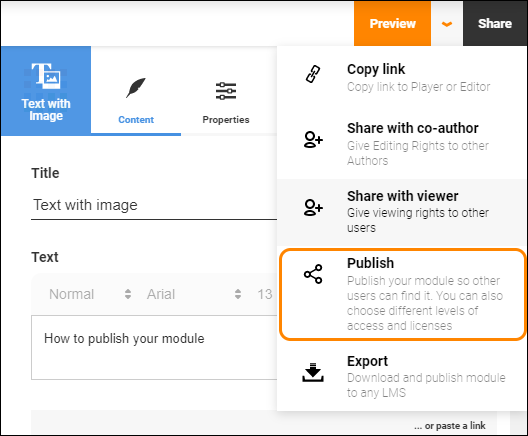
You can either press the "Share" button at the top right of the Author page and then click on "Publish in the dropdown menu.
Or you can either click the name of the module in the Table of Contents (1), in the breadcrumbs (1) or scroll all the way up in the preview area and click the "Module Settings" button (2). Then you click on the "Publish" tab (3).
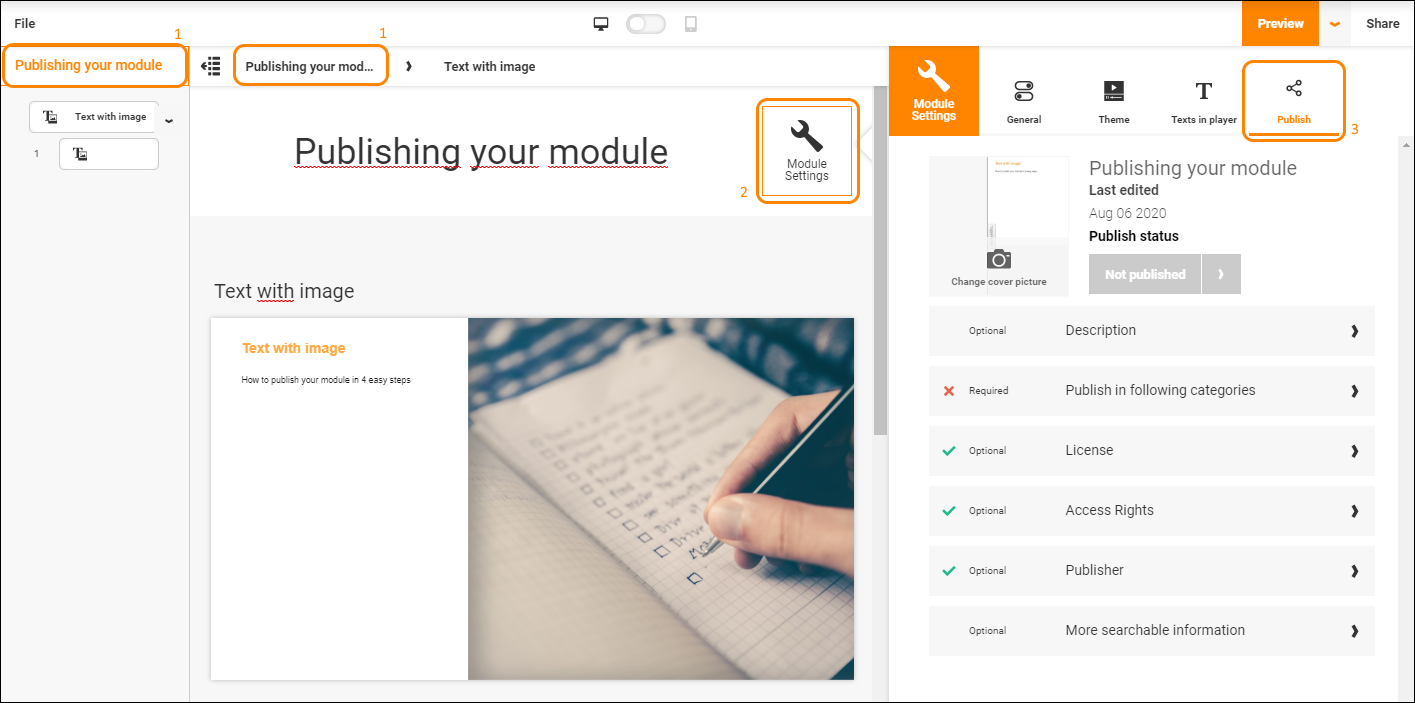
Here you can change the cover image of your module, this is the image that will be shown in the library to other users, as well as the publishing status of your module.
Below that you can see a list of options, each marked as either "Optional" or "Required". As the name implies those marked as "Optional" are not necessary for publishing your module, but contains information that will make it easier to find and search for by others, so take a moment to consider filling these out.
Description is for describing your module. What is it about? Who is it intended for? Is it an introductory level module or more advanced?
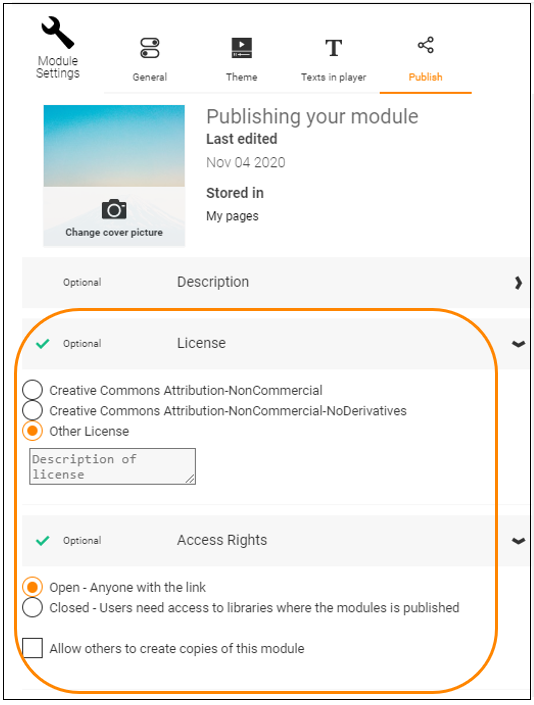
License and Access Rights deals with who has the rights to view and use your module, and what they may do with it. Is it a module strictly for people within the same organisation? Select "Closed" and only publish it to your organisation library or a personal library. Are you fine with others taking copies of your material and changing or adding to it? Or is it material that only certain people are allowed to maintain? Choose the appropriate license for your needs. In Other License you may enter your own license terms.
Note! If Access Rights is set to Closed and the module is published in a personal library, users must be added to that library to be able to use it.
Under the "Publisher" tab you can change who the module is published by. Is it a personal project, or do you want to credit other co-writers or contributors? Perhaps it is company policy to publish under the company's name rather than an individuals? Make any necessary changes here.
"More searchable information" contains options for more metadata that allows users to find your material through more channels, such as keywords, ILO's (Intended Learning Outcomes) or level of difficulty.
Finally you need to pick where to publish your module. You can choose to publish it in Open resources, allowing all users in the repository to see and use your module, within your organisation, letting everyone in the same organisation see and use your module or in a personal library where you control exactly who should be able to see and use the module. Click on

A dialogue will open letting you browse to where you want to publish the module.
0 Kommentarer