Working together is an effective way of easing the burden of work by dividing it, but also to improve the quality of the content by having including many different eyes and perspectives in the working process.
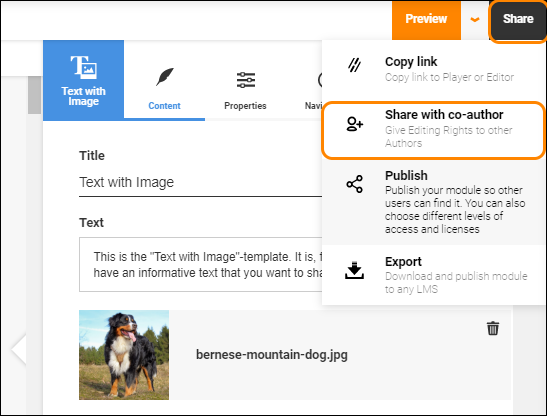
To add a co-author to your module, first click the "Share" button in the very top-right corner of the Author interface. Second, click the "Share with co-author" option in the dropdown menu.
A new dialogue window will open up showing all current authors for this module.
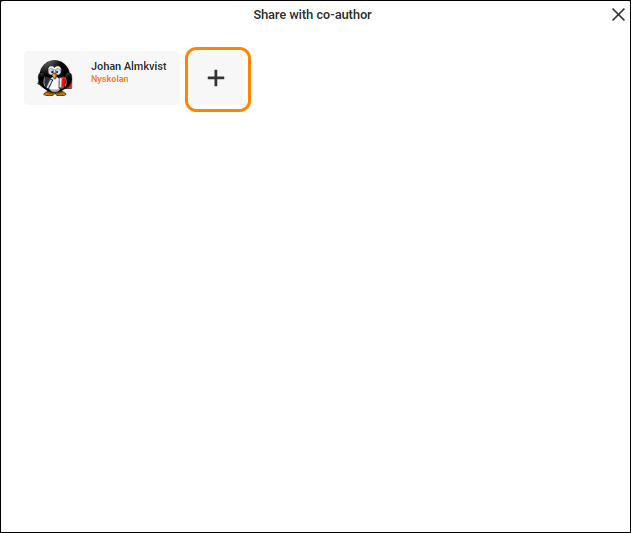
Press the "+" button to get a search bar where you can search for the person you want to add as a co-author.
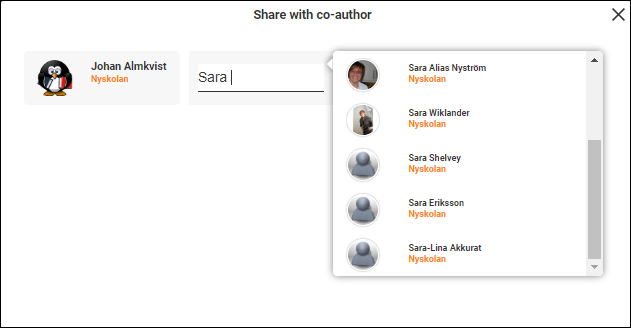
Note that you can only add people from your organisation or that have their accounts marked as "Open".
Once you find the correct individual, simply click their name and they'll be added as a co-author.
0 Kommentarer