When in edit mode, click the course level then the + icon.
Under Create new, click Reuse page from. You can then choose to reuse a chapter from The Library or My pages.
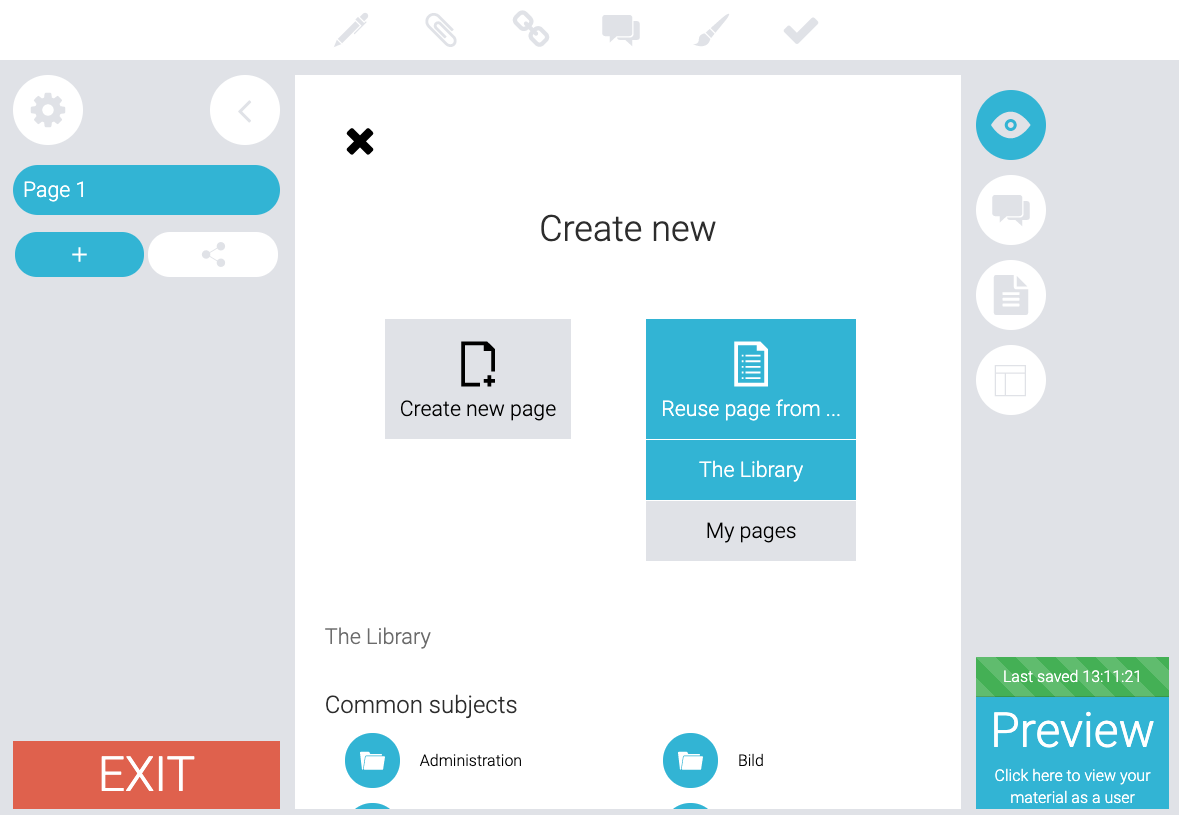
The Library has modules shared by other people. My pages includes pages that you’ve created.
Once you have decided where you want to reuse content from, scroll down and search for the module you want to reuse. Then click on it. It will look like this.
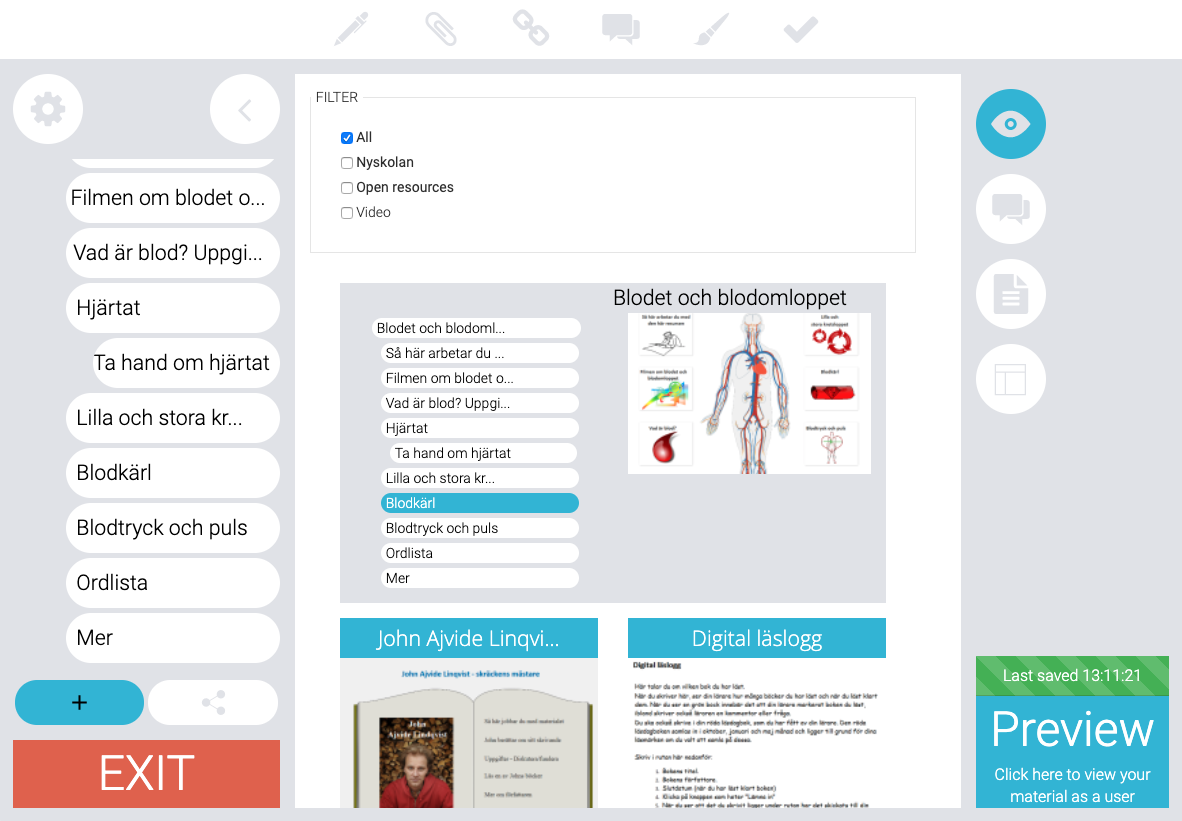
Locate the chapters of the module you want to use, then drag them into the course structure on the left hand side of the screen.
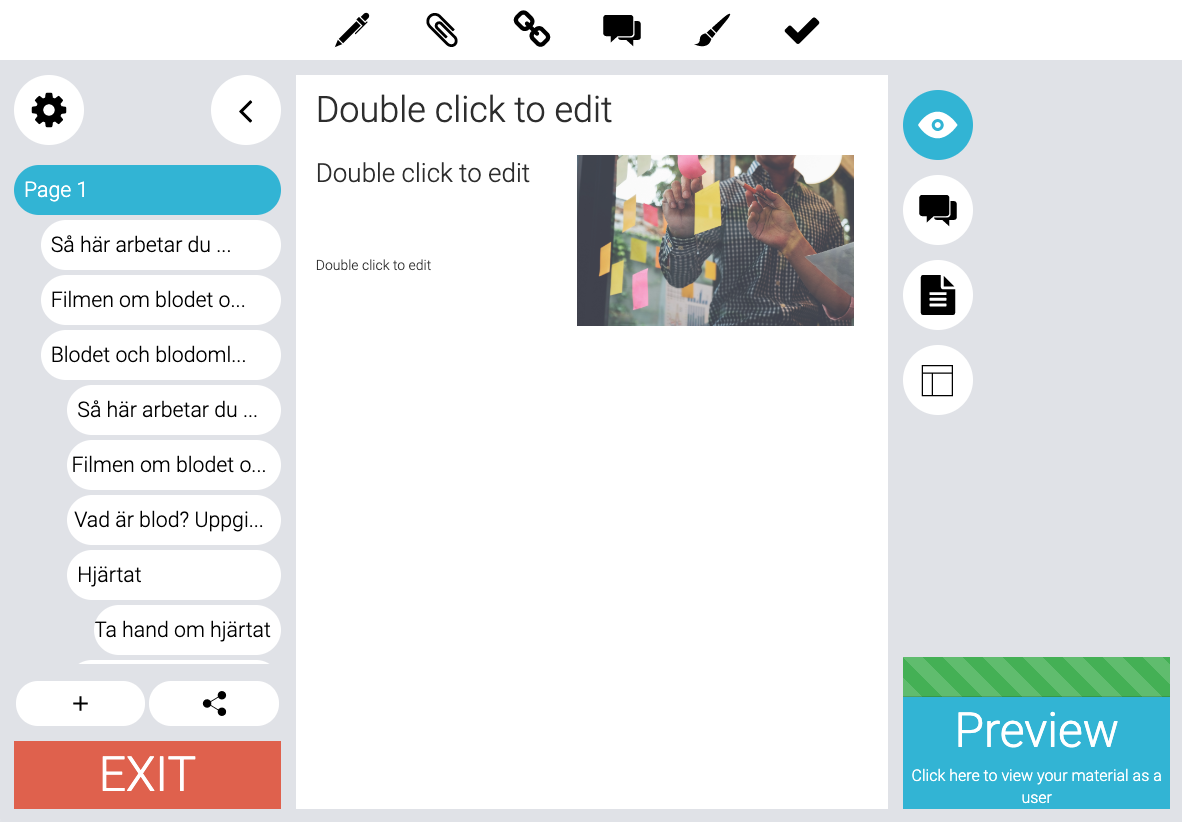
Now you have reused pages in your work!
Note: Making changes to pages you’ve reused will effect the original version. If you wish to make changes to the reused pages, make a copy of it first and then reuse the copied version.
0 Kommentarer